
Performance audit
When everything is slow, something is footing the bill.
We measure servers, network, databases and applications to find what is holding work back, and fix it in the right order.

Before buying more hardware, it pays to know where the bottleneck is. We measure the real load on servers, network, databases and applications, at the times when people complain.
Often the answer is configuration, not new equipment: a badly sized database, a saturated link, a job that runs at the wrong time.
What it includes
- Load measurement on servers and virtualisation
- Database and ERP performance
- Network, Wi-Fi and internet connections
- Remediation plan with expected gains
Where it fits in the method
Most fixes are made by optimising what already exists, in Tailored Dev, without buying anything.
Phase 01 · Tailored ConsultingSGIT
Where it lives in SGIT
SGIT is the integrated management system every client has in the client area. This is where this service is recorded:

Technical documentation and network diagrams

Asset management
An inventory of servers, workstations, network and peripherals, with location, warranties, links between devices and a QR label to open the record on your phone.
The images show the demo company ACME, with fictitious data.
AI-assisted survey
The inventory starts with a photo.
When we survey your equipment, nobody copies serial numbers by hand. We photograph the manufacturer plate, the box or the invoice, and artificial intelligence reads what is written there.
-
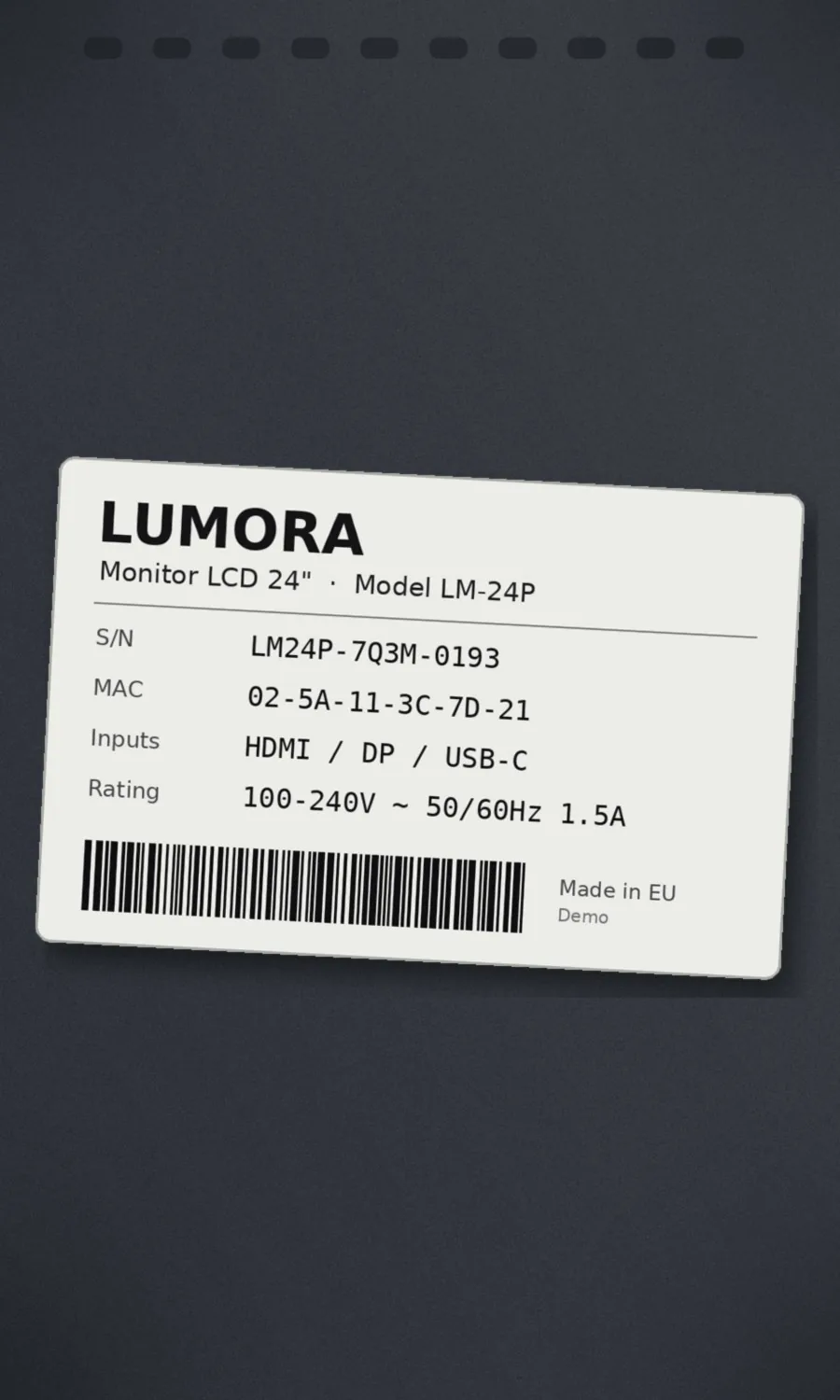
Photograph the plate
With a phone, on site: the plate on the back of the device, the box or the purchase invoice.
-
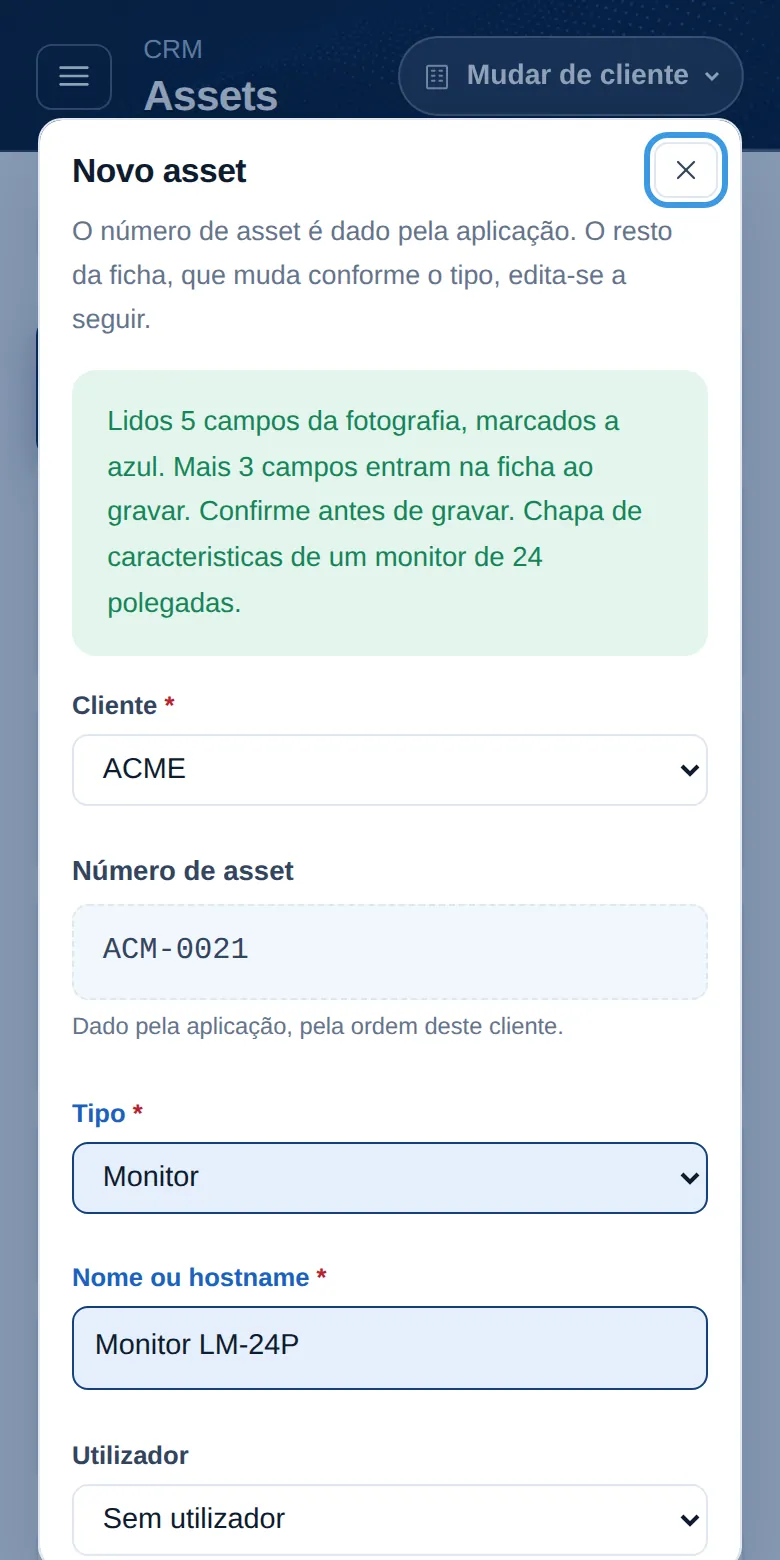
The AI reads and fills in
Device type, make, model, serial number and MAC go into the new record. Anything that cannot be read is left blank rather than made up.
-
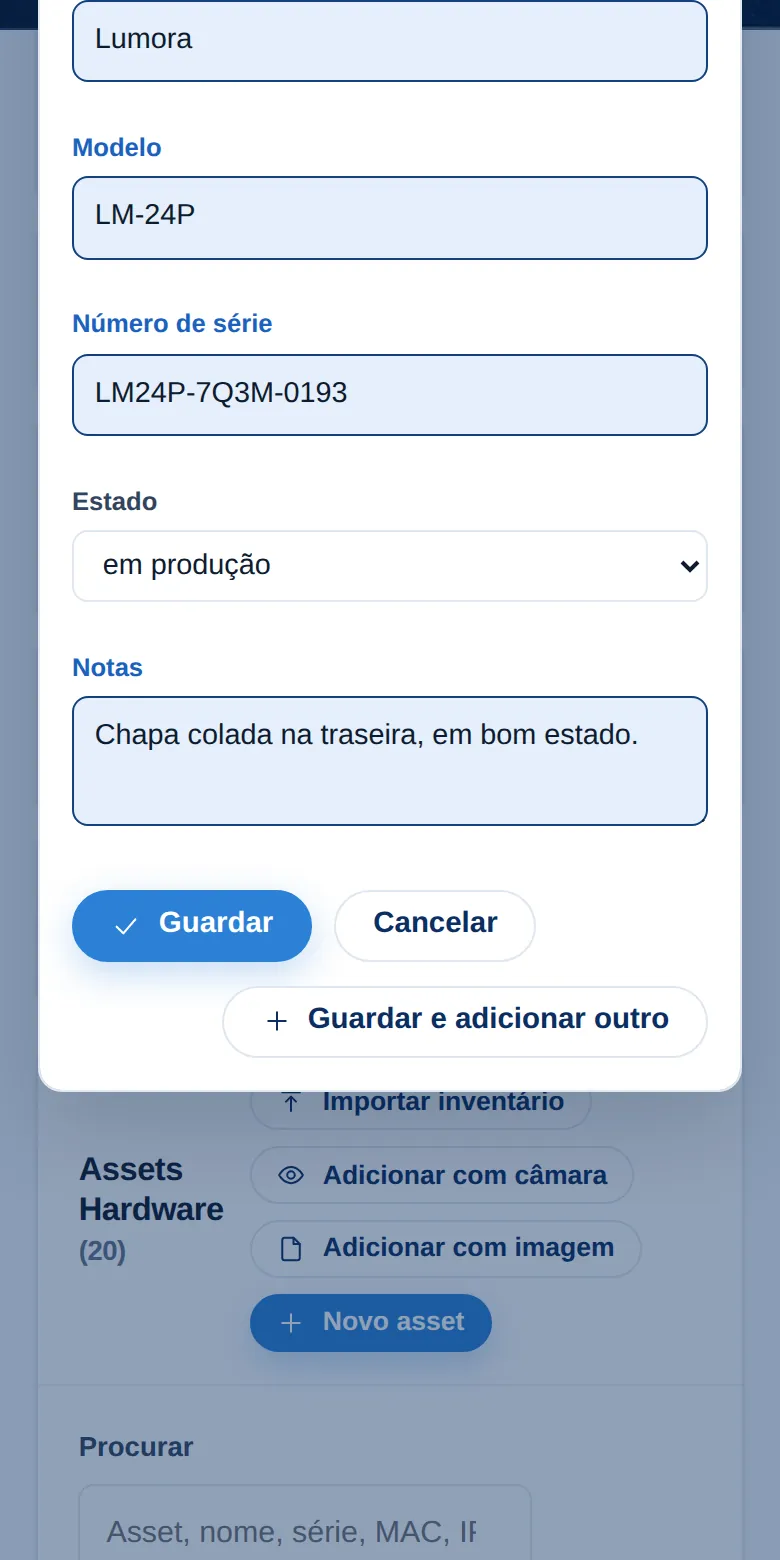
Confirm before saving
The fields that were read are highlighted in blue. Whoever is doing the survey confirms or corrects them, and only then is the record saved, with the photo kept.
-
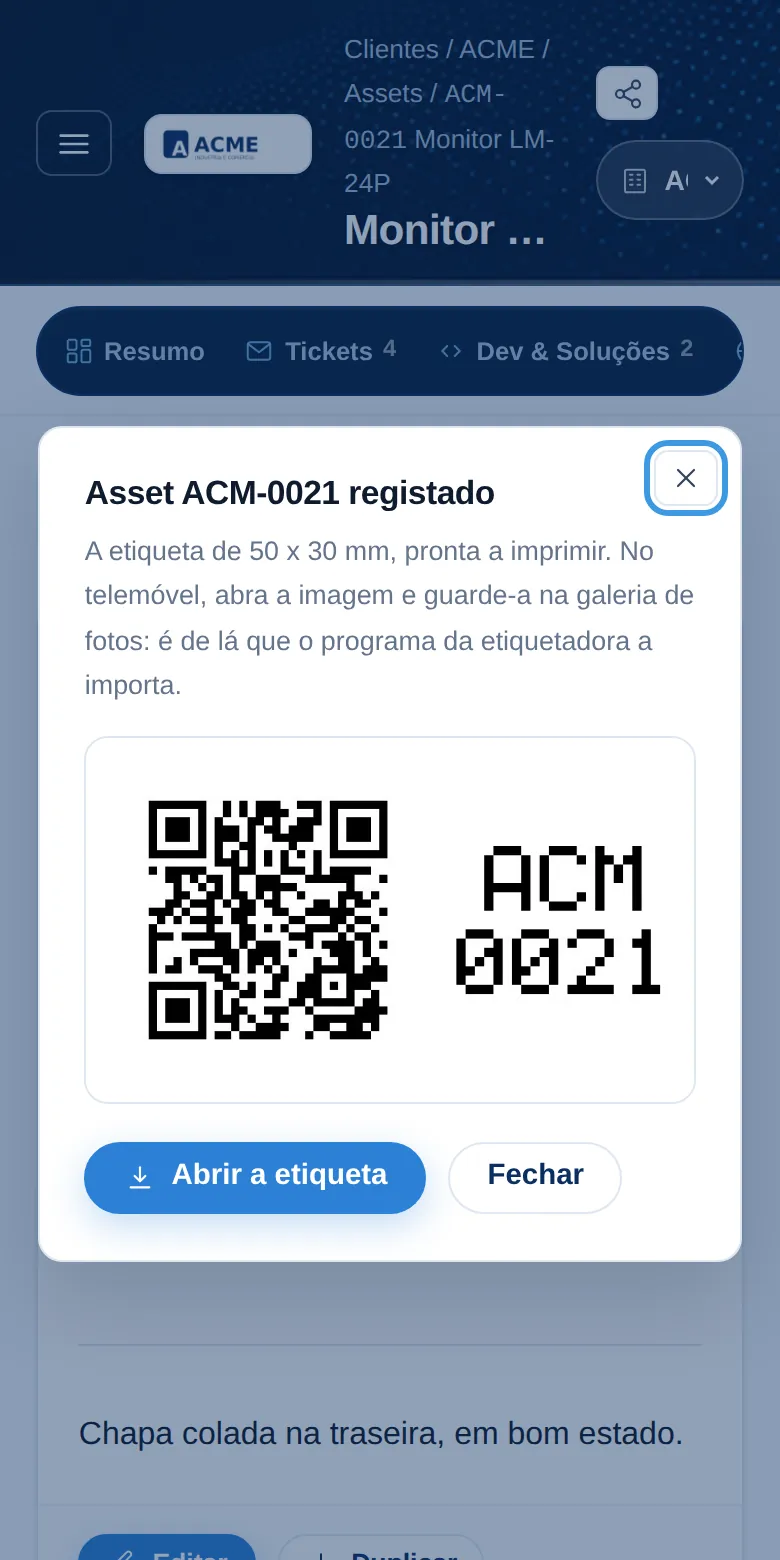
QR label
Each device gets its number and a label with a QR code, ready to print. Pointing a phone at it opens the record, with its history, warranties and connections.
On workstations and servers, a small inventory program completes the record with what the machine knows about itself: processor, memory, disks and network cards.
Screenshots from the demo company ACME, with fictitious data. The plate belongs to a made-up device.
Other services
Discovery and technology roadmap
A layer-by-layer survey of the company, from the cabling to the business goals, and a plan with priorities, timelines and budget.
Learn more Tailored ConsultingIT direction and management
We take on the direction of your IT with the client's interest always as the priority: IT evolution plans aligned with your business vision, and a fast, agile response to day-to-day needs.
Learn more Tailored ConsultingSecurity audit
A review of access, network, backups and policies, with a clear list of what to fix first.
Learn moreNeed technology made to measure?
A thirty-minute conversation is usually enough to see whether we are the right fit for you.