
Client area
Your IT, managed in one place.
SGIT, the integrated management system for your IT, included in the service, to keep track of change and decide with data.

What it is for
The client area is where everything that happens in your IT gets recorded: what was requested, what broke, what changed, what was bought and why. Every request, every bug and every change has an owner, a status and a history.
Over time, it becomes the memory of your IT. You know how long requests take, which equipment causes the most trouble, which warranties are running out and where it is worth investing. It is change management and decision support, with your own data.
Change management
Every change is recorded: who asked for it, who made it, when and why.
Decision support
Indicators and history to decide where to invest, with numbers rather than hunches.
Your data is yours
Documentation, inventory and access rights stay on your side, always available.
What you will find there
Ticketing
Support requests with conversation, files, urgency and status. You always know where each request stands and how long it took.


Bug tracking
Errors in your applications recorded, prioritised and followed through until they are signed off by whoever reported them.

Feature tracking
Improvement requests for your applications, from idea to delivery, with the status and expected date of each one.

Asset management
An inventory of servers, workstations, network and peripherals, with location, warranties, links between devices and a QR label to open the record on your phone.


Projects and tasks
Status, deadlines, hours and progress for every project, with its tasks and Gantt chart.

Backups and continuity
What is protected, where the copy lives and when the last restore was tested.

The images show the demo company ACME, with fictitious data.
AI-assisted survey
The inventory starts with a photo.
When we survey your equipment, nobody copies serial numbers by hand. We photograph the manufacturer plate, the box or the invoice, and artificial intelligence reads what is written there.
-
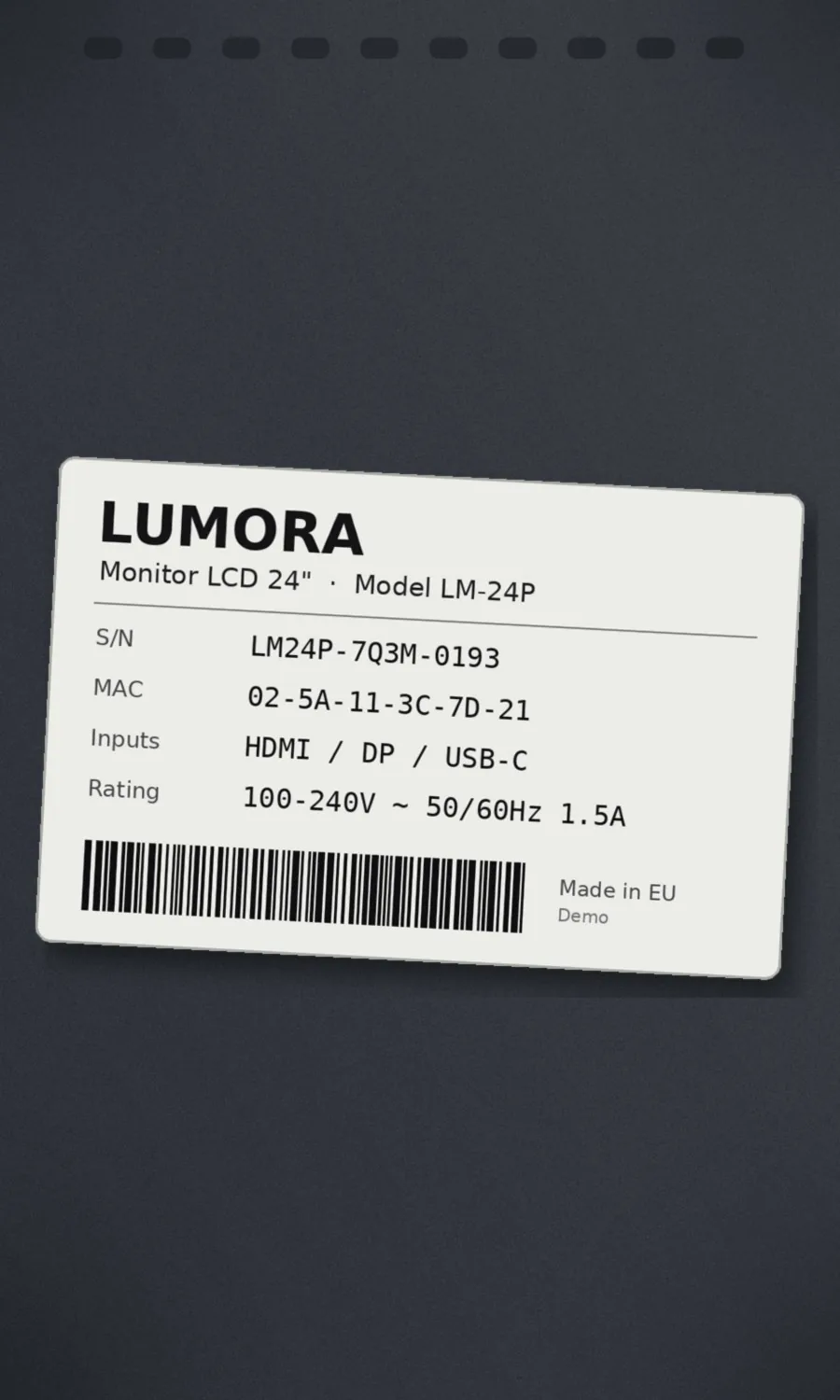
Photograph the plate
With a phone, on site: the plate on the back of the device, the box or the purchase invoice.
-
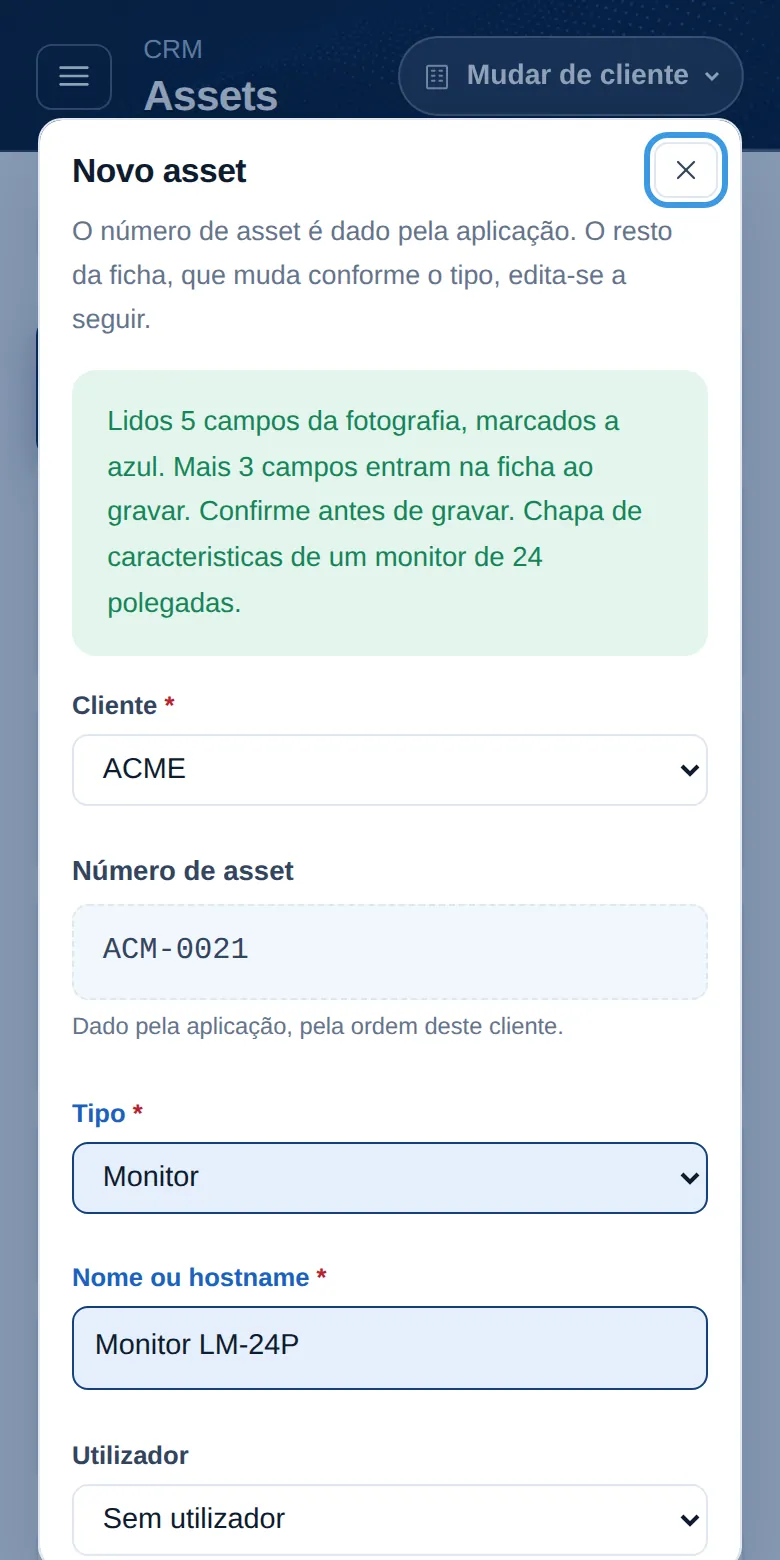
The AI reads and fills in
Device type, make, model, serial number and MAC go into the new record. Anything that cannot be read is left blank rather than made up.
-
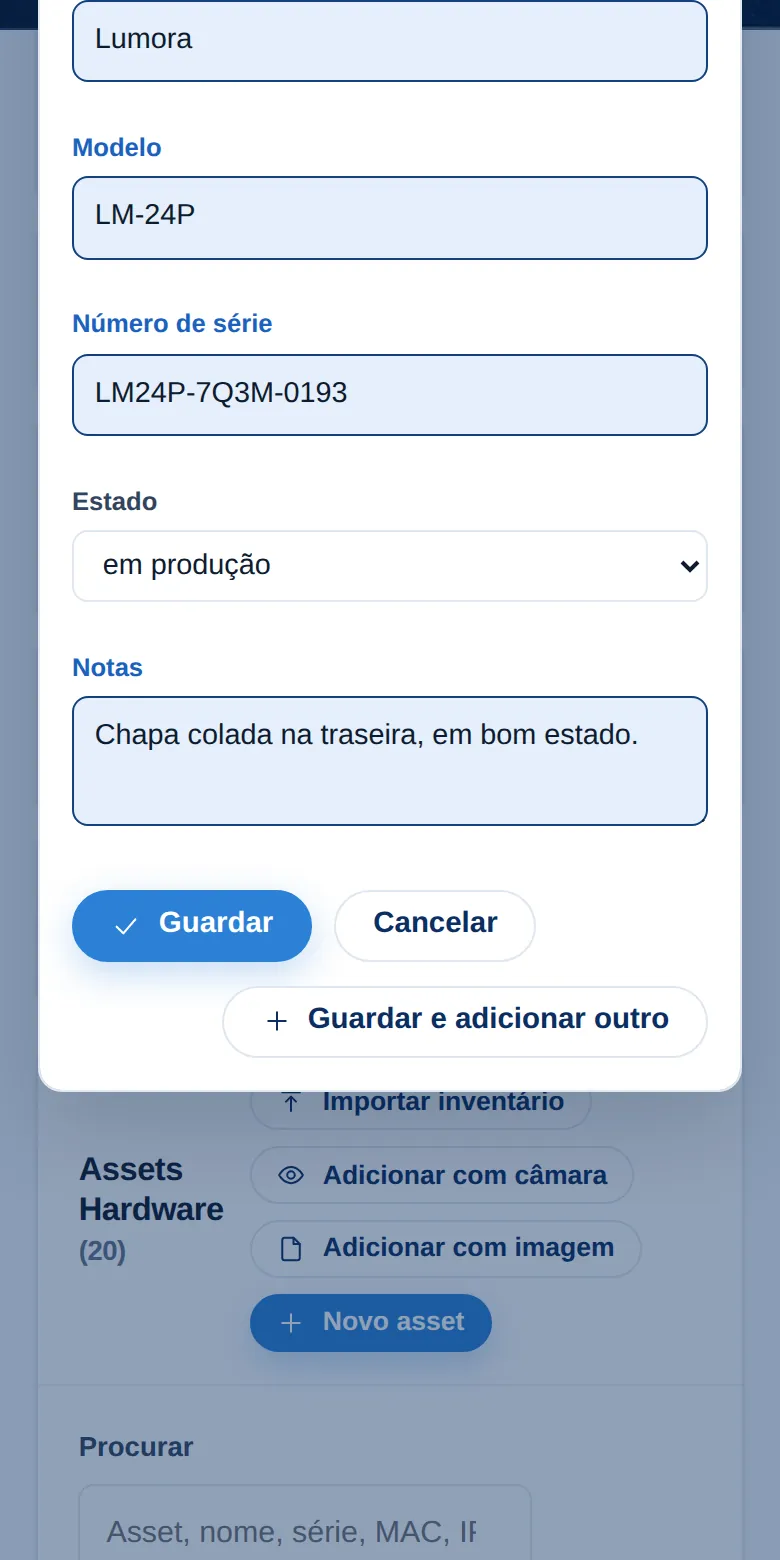
Confirm before saving
The fields that were read are highlighted in blue. Whoever is doing the survey confirms or corrects them, and only then is the record saved, with the photo kept.
-
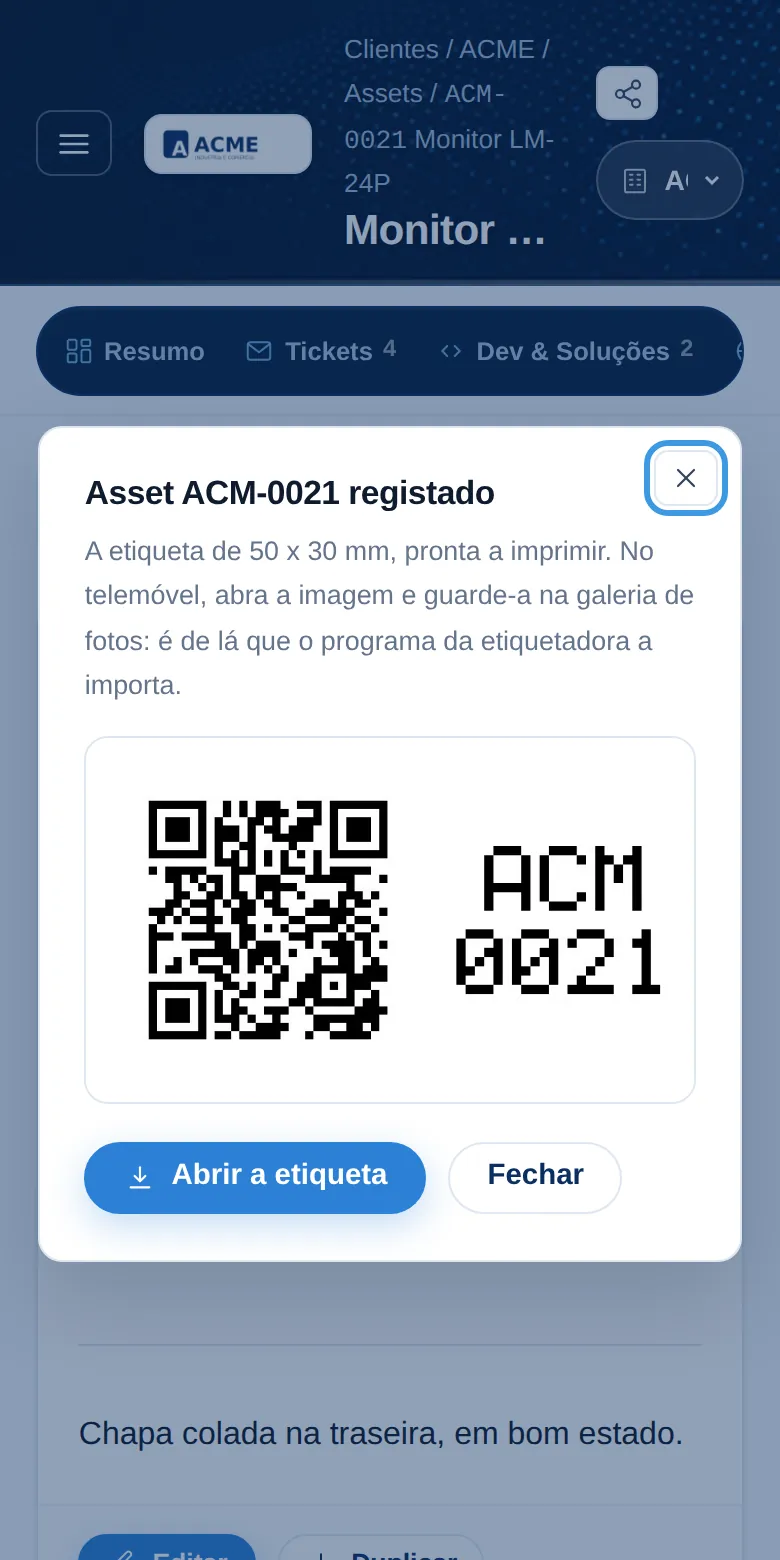
QR label
Each device gets its number and a label with a QR code, ready to print. Pointing a phone at it opens the record, with its history, warranties and connections.
On workstations and servers, a small inventory program completes the record with what the machine knows about itself: processor, memory, disks and network cards.
Screenshots from the demo company ACME, with fictitious data. The plate belongs to a made-up device.
And also
- Technical documentation and network diagrams
- Accounts and access details stored encrypted
- Domains and certificates, with expiry dates in plain sight
- Users and permissions per person
- Email alerts with a direct link to the record
- A record of who viewed what
Already a client?
Sign in with your email address. If you do not have access yet, ask MCIT for it.