
Virtualisation and server consolidation
Fewer machines, more control.
Server consolidation on VMware, Proxmox or Hyper-V, including migration between platforms when licensing stops paying off.

We bring scattered servers together on a few well-sized machines, with high availability where it is needed and backups at virtual machine level.
When licensing costs change the sums, we migrate between platforms, from VMware to Proxmox or Hyper-V, with proper planning and no surprises for the people at work.
What it includes
- Platform design and sizing
- Consolidation of physical servers
- Migration between VMware, Proxmox and Hyper-V
- High availability and backups
Where it fits in the method
Reusing equipment and controlling costs are rules of the method, and virtualisation is often the first step.
Phase 02 · Tailored DevSGIT
Where it lives in SGIT
SGIT is the integrated management system every client has in the client area. This is where this service is recorded:

Asset management
An inventory of servers, workstations, network and peripherals, with location, warranties, links between devices and a QR label to open the record on your phone.

Backups and continuity
What is protected, where the copy lives and when the last restore was tested.

Technical documentation and network diagrams
The images show the demo company ACME, with fictitious data.
AI-assisted survey
The inventory starts with a photo.
When we survey your equipment, nobody copies serial numbers by hand. We photograph the manufacturer plate, the box or the invoice, and artificial intelligence reads what is written there.
-
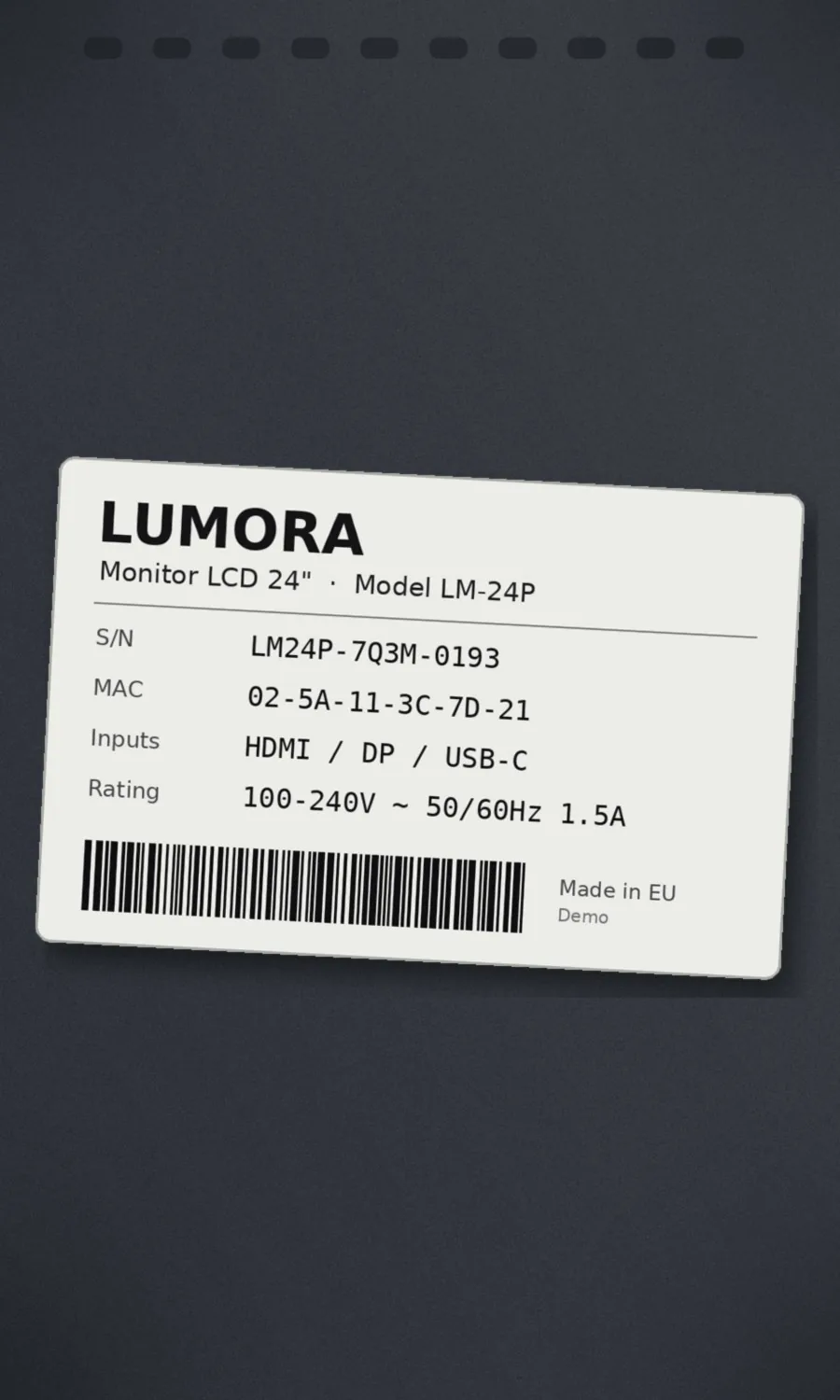
Photograph the plate
With a phone, on site: the plate on the back of the device, the box or the purchase invoice.
-
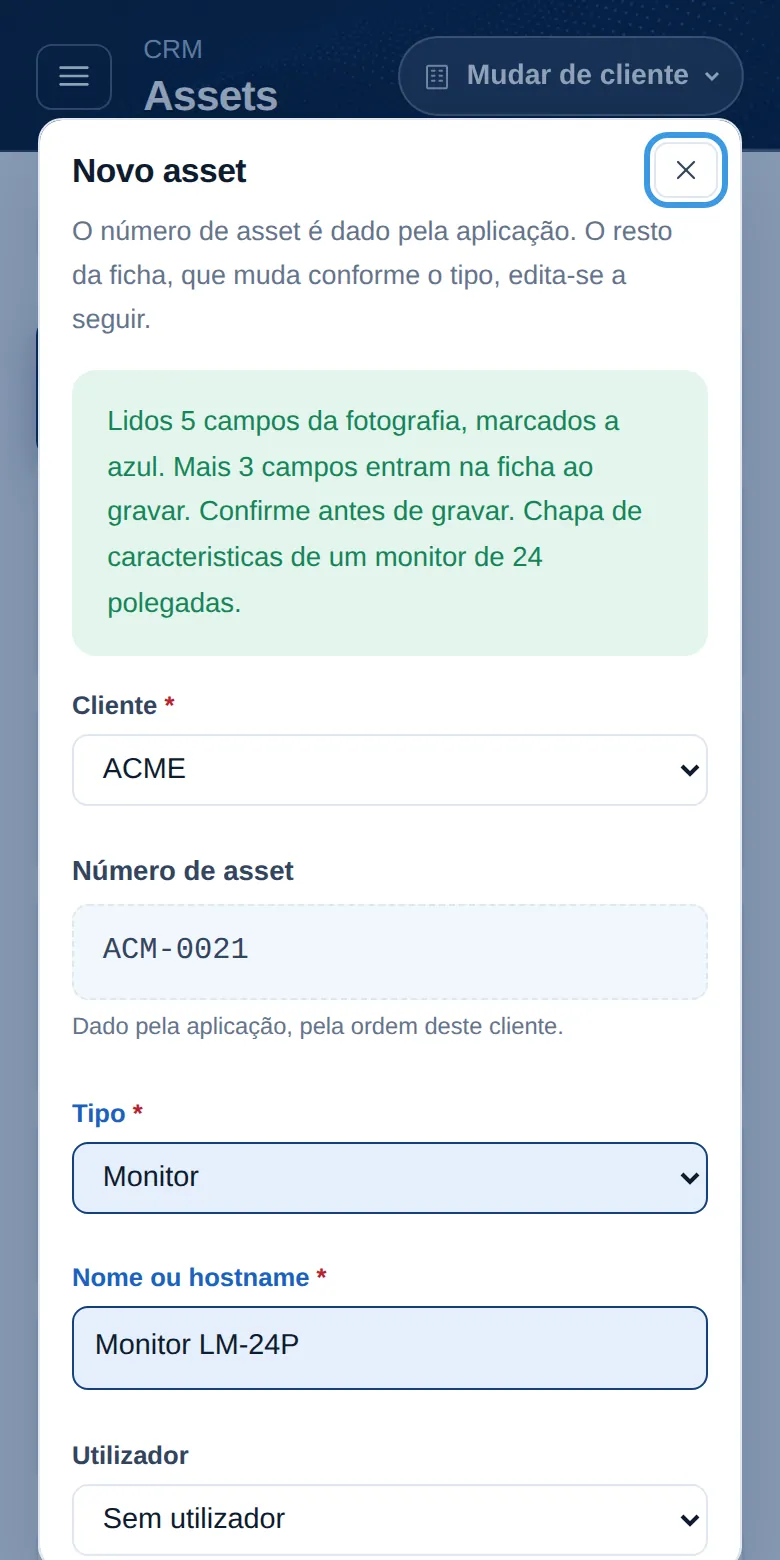
The AI reads and fills in
Device type, make, model, serial number and MAC go into the new record. Anything that cannot be read is left blank rather than made up.
-
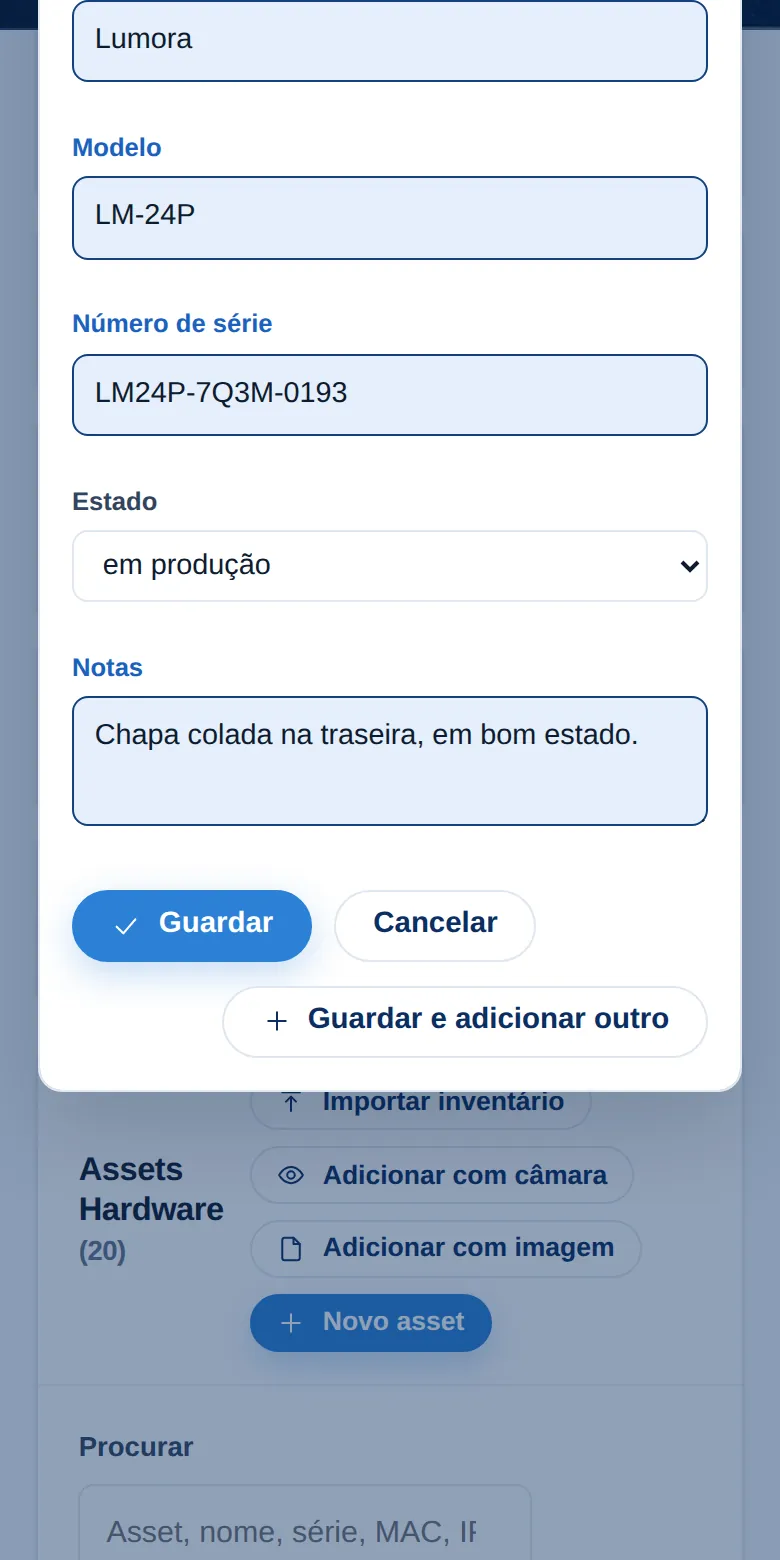
Confirm before saving
The fields that were read are highlighted in blue. Whoever is doing the survey confirms or corrects them, and only then is the record saved, with the photo kept.
-
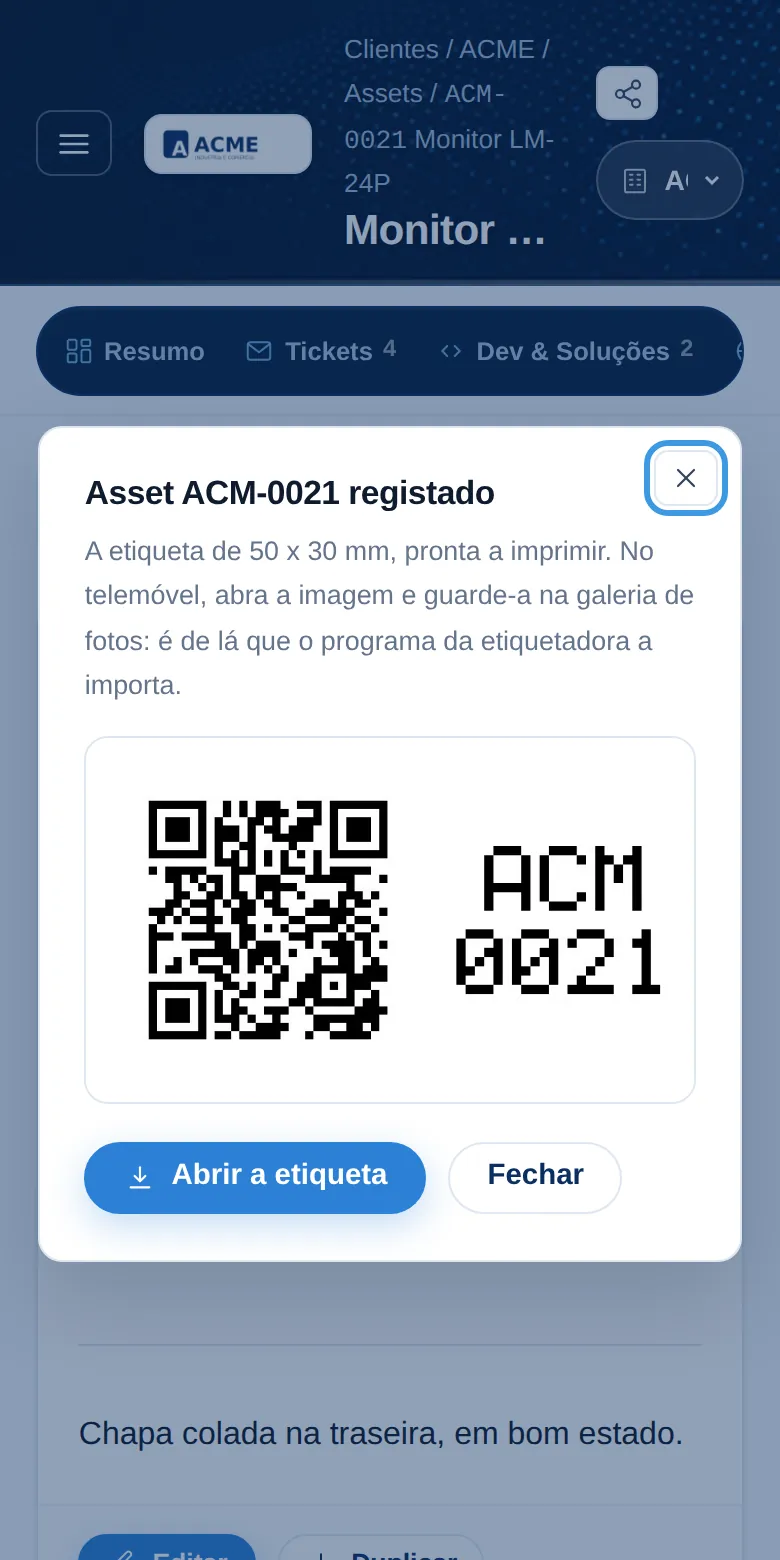
QR label
Each device gets its number and a label with a QR code, ready to print. Pointing a phone at it opens the record, with its history, warranties and connections.
On workstations and servers, a small inventory program completes the record with what the machine knows about itself: processor, memory, disks and network cards.
Screenshots from the demo company ACME, with fictitious data. The plate belongs to a made-up device.
Other services
Cloud migration
We assess what should go, design the architecture and migrate servers, files and applications with a rollback plan.
Learn more Tailored DevMoving back from the cloud to your own servers
We bring back to your own servers the workloads that are cheaper and more predictable in house.
Learn more Tailored DevMicrosoft 365 implementation and adoption
Email and file migration, Teams and SharePoint, security, and then training and follow-up until the tool is adopted.
Learn moreNeed technology made to measure?
A thirty-minute conversation is usually enough to see whether we are the right fit for you.